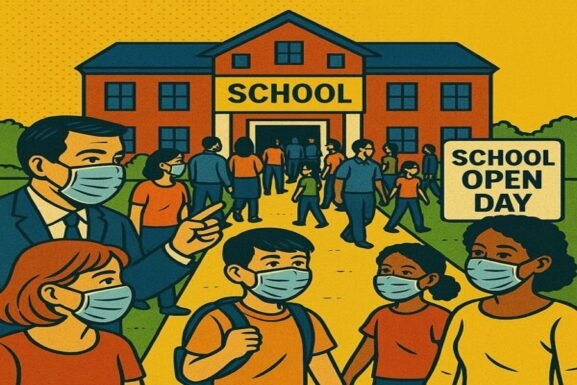

The Role of Technology in Modern Education: What to Expect on an Open Day
Description: As the world becomes increasingly digital, so does the classroom. Today’s leading schools are integrating technology into every aspect of learning—from smartboards and tablets to coding labs and virtual learning platforms. This guide explores what parents should look for when evaluating a school’s technology offerings during an open day or virtual visit.
Benefit: Equips parents with the knowledge to assess how schools are embracing technology and how digital tools are used to enhance teaching, engagement, and student outcomes.
Why Technology Matters in Today’s Schools
Technology is no longer a bonus—it’s a core component of modern education. A school that uses technology effectively can:
- Improve student engagement and motivation
- Enable personalised learning and differentiated instruction
- Support independent study and research
- Build essential digital literacy and coding skills
- Prepare students for tech-driven higher education and careers
- Ensure continuity of learning during disruptions (e.g. illness, snow days, or international relocation)
For both UK-based and international families, especially those comparing private schools, understanding how a school uses technology is a key factor in finding the right fit.
What to Look For on a School Open Day: Key Technology Areas
Here’s a breakdown of what parents should observe or ask about when evaluating a school’s use of technology:
1. Digital Classrooms & Smart Learning Tools
Modern classrooms are equipped with:
- Interactive whiteboards or smartboards
- Tablet or laptop use for students
- Cloud-based learning platforms (e.g. Google Classroom, Microsoft Teams, Firefly)
- Digital projectors, audio systems, and touchscreen monitors
Ask:
- Is tech used in daily lessons or only occasionally?
- How do teachers integrate technology into different subjects?
Are students taught to use digital tools responsibly and effectively?
2. IT and Computer Science Curriculum
In today’s digital age, understanding code is as important as understanding a second language.
Look for:
- A dedicated computer science curriculum, not just ICT basics
- Programming or robotics clubs
- Access to coding tools (e.g. Python, Scratch, Arduino, Raspberry Pi)
- Opportunities for girls and underrepresented groups in tech
Ask:
- At what age do students start learning coding or digital literacy?
Are tech skills assessed and tracked as part of the curriculum?
3. Virtual Learning Capabilities
The pandemic highlighted the need for flexible learning environments. Strong schools now have:
- Robust virtual learning platforms
- Digital assignment submissions and feedback systems
- Access to lessons or resources online for revision or absences
- Virtual parent-teacher meetings and reporting tools
Ask:
- How does the school support learning at home or during illness?
Are resources available on-demand for independent study?
4. EdTech Tools for Personalised Learning
The best schools use technology to tailor education to each student’s strengths and needs. These may include:
- Adaptive learning platforms (e.g. HegartyMaths, Century Tech, Seneca)
- Real-time assessment tools like Kahoot or Quizlet
- Online progress tracking systems
- Digital reading platforms with AI-based recommendations
Ask:
- How does the school personalise learning using technology?
Are pupils taught how to manage their own digital study tools?
5. Safe & Responsible Technology Use
Strong digital education includes a focus on online safety, cyberbullying awareness, and healthy screen habits.
Look for:
- Digital citizenship or e-safety lessons
- Internet filtering and monitoring policies
- A clear mobile phone or device usage policy
- Staff training on safeguarding in digital spaces
Ask:
- How does the school teach students about online safety?
Are parents involved in discussions around screen time and tech use?
6. Tech for Creativity & Collaboration
Technology can also enhance the creative curriculum, including:
- Digital photography and film editing suites
- Music composition software and digital recording studios
- VR/AR learning experiences for science, history, or geography
- Online collaboration tools for group projects or international partnerships
Ask:
- What creative digital tools do students have access to?
Are there cross-curricular tech projects that combine subjects?
Questions to Ask During Your Visit
- What digital devices do students use, and are they provided by the school?
- How are teachers trained to use educational technology?
- How is progress monitored and supported using tech tools?
- How does the school support families who may need help accessing devices at home?
What’s the school’s plan for keeping technology up-to-date?
Final Thoughts: Tech as a Tool, Not a Gimmick
The best schools use technology purposefully—to support learning, not distract from it. A well-integrated digital strategy will:
- Be balanced with human connection and hands-on learning
- Empower students to take ownership of their learning
- Prepare children for the tech-driven future without losing sight of traditional skills
When visiting schools, don’t just ask what tech they have—ask how they use it.